 Algorithm Overland

AO:RigFit 3D Gear Fitting
This link opens in the AO:RigFit app. Don't have it yet? It's free on the App Store.
See what fits your rig before you buy. AO:RigFit matches gear to a 3D model of your truck or SUV: a smart reference to guide fitment, which you should always verify before you buy or install.

Free · iOS
Wondering what fits your bed? Start with our truck gear guides.
All AO apps · Privacy · Terms · Cookie Settings
Apple and the Apple logo are trademarks of Apple Inc., registered in the U.S. and other countries and regions. App Store is a service mark of Apple Inc.
The app
About AO:RigFit
LiDAR Vehicle Scanner
AO:RigFit is a free 3D build planner for overlanders, off-roaders and truck builders. Pick your truck, SUV or overland platform, then lay out your gear on a 3D model of it, instead of working it out with a tape measure, cardboard mockups and trial and error.
Drop, stack and arrange modular kitchens, slide-out drawer systems, water tanks and storage cubes in the truck bed, the interior cargo area or on a swing-out bumper system. The layout shows each item's size and position, the total weight and cost of the gear you've added, and a red warning when items overlap or sit outside the cargo space. Save your layouts, build component checklists and check clearance before you order or build anything. The Scanner uses LiDAR to map your cargo space.
When the plan is ready, AO:RigFit can send it to a workshop near you for a quote, and RigAI drafts the note for you. You can also find 4x4 and truck-accessory shops near you from inside the app.
Use it as a planning reference, and check the fit on your own vehicle before you buy or install.
- PriceFree
- CategoryUtilities
- RequiresiOS 26.5+
- DevicesiPhone, iPad
- Age4+
Features
AO:RigFit features
Vehicle profiles
Choose your truck, SUV or overland platform to plan on.
Modular gear in 3D
Drop, stack and arrange kitchens, drawers, water tanks and storage cubes.
Bed, cargo and bumper
Plan the truck bed, the interior cargo area or a swing-out bumper system.
Fit warnings
Gear that overlaps or sits outside the cargo space turns red.
Weight and cost totals
See the combined weight and price of the gear in your layout.
Saved builds and checklists
Save layouts and make component checklists before you order.
Workshop quotes
Find 4x4 and accessory shops near you and send them your plan; RigAI drafts the note.
LiDAR scanning
Map your cargo space with the app's Scanner.
Screenshots
AO:RigFit on iPhone
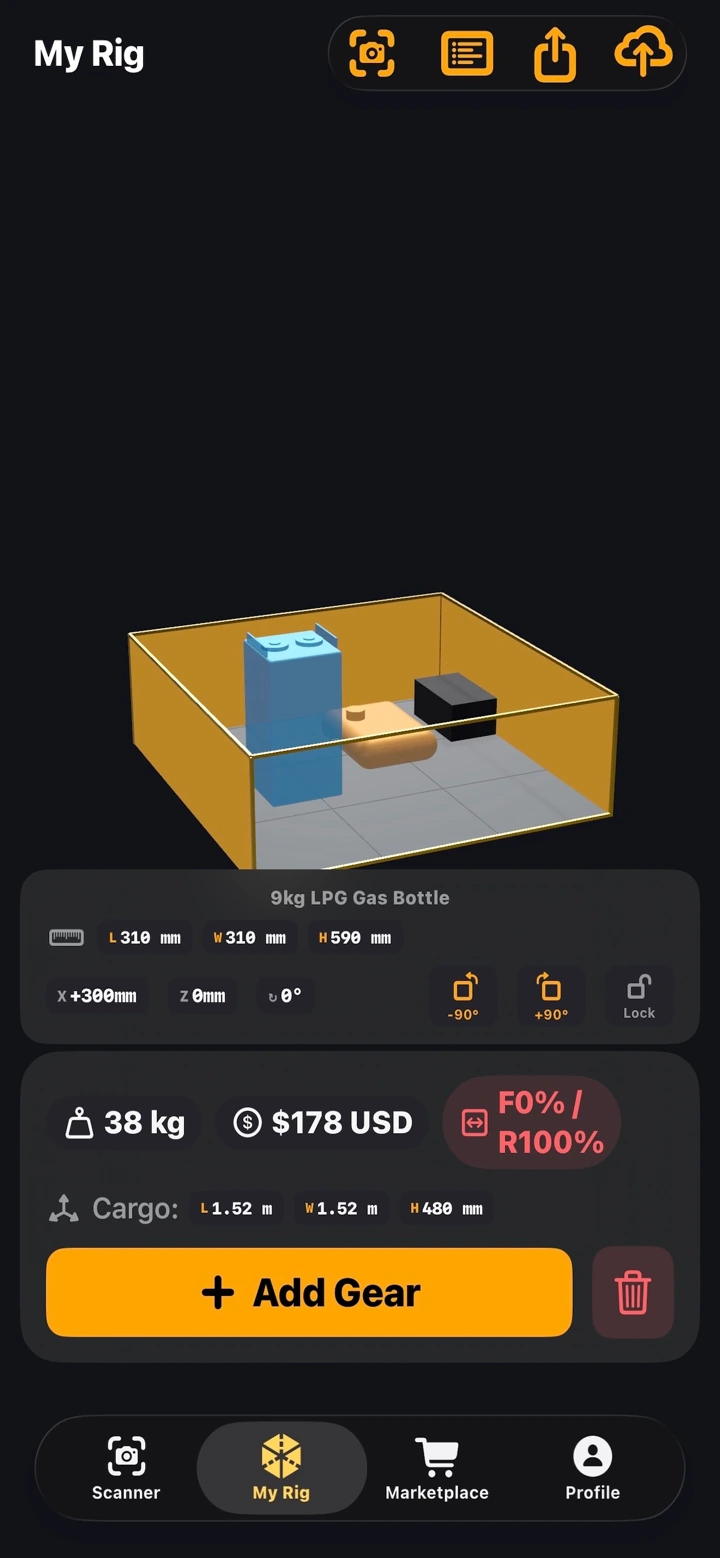
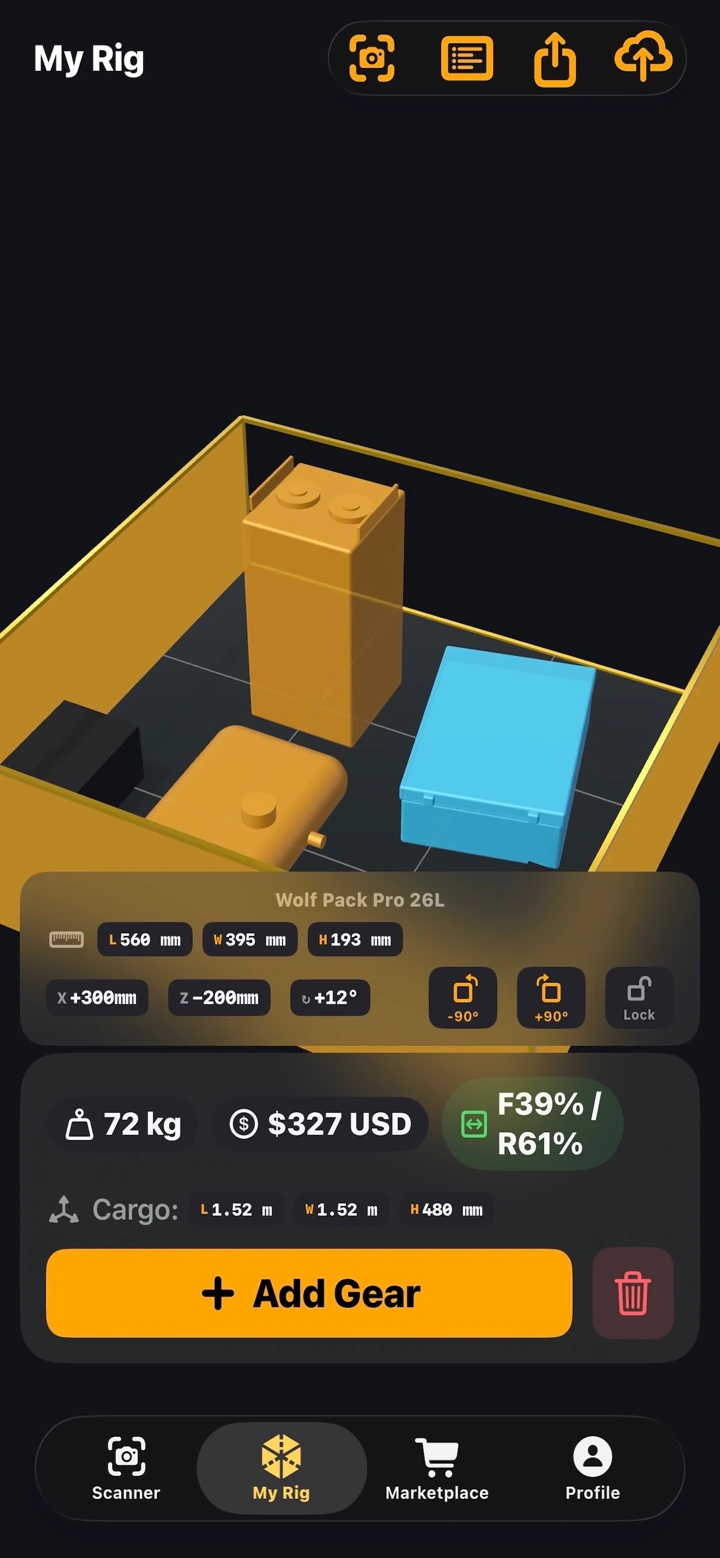
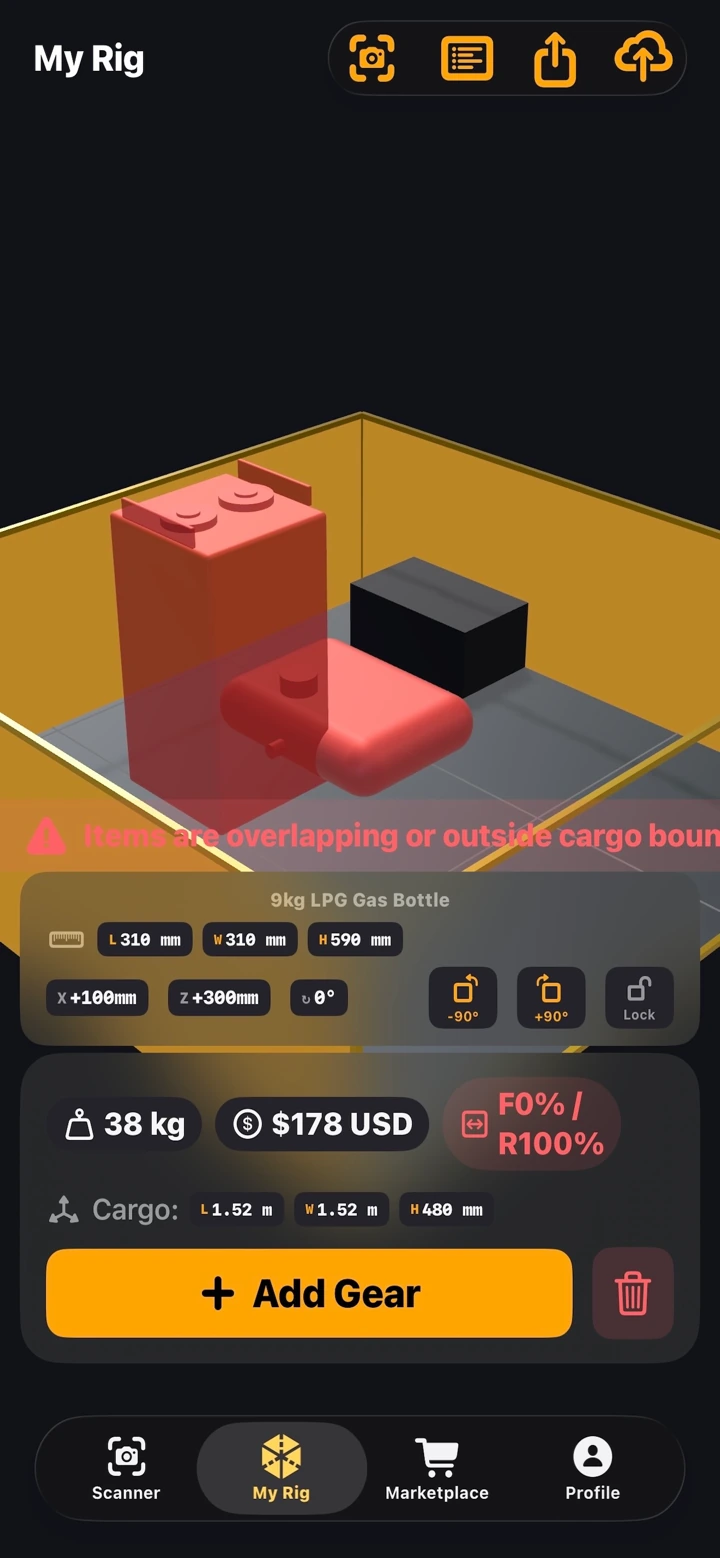
Screens from the AO:RigFit App Store listing.
The system
How AO:RigFit fits the Algorithm Overland system
Our 36 truck and SUV bed guides are built from the same measured vehicle specs AO:RigFit uses, so you can check bed and cargo dimensions by generation before you open the app.
Planning a camp kitchen in the bed? See the Algorithm Overland Kitchen Cube, our modular aluminum camp kitchen.
- Toyota Tacoma
- Toyota Tundra
- Ford F-150
- Ford Ranger
- Jeep Gladiator
- Chevy Colorado / Canyon
- All 36 guides →


FAQ
AO:RigFit questions
Is AO:RigFit free?
Yes. AO:RigFit is free to download on the App Store.
Which devices does AO:RigFit run on?
iPhone with iOS 26.5 or later, and iPad with iPadOS 26.5 or later.
What gear can I plan with AO:RigFit?
Modular kitchens, slide-out drawer systems, water tanks and storage cubes, in the truck bed, the interior cargo area or on a swing-out bumper system.
Can I send my build plan to a shop?
Yes. You can find 4x4 and truck-accessory shops near you and send the exact plan to a workshop for a quote. RigAI drafts the note for you.
Get AO:RigFit
Free · iPhone and iPad · iOS 26.5 or later